
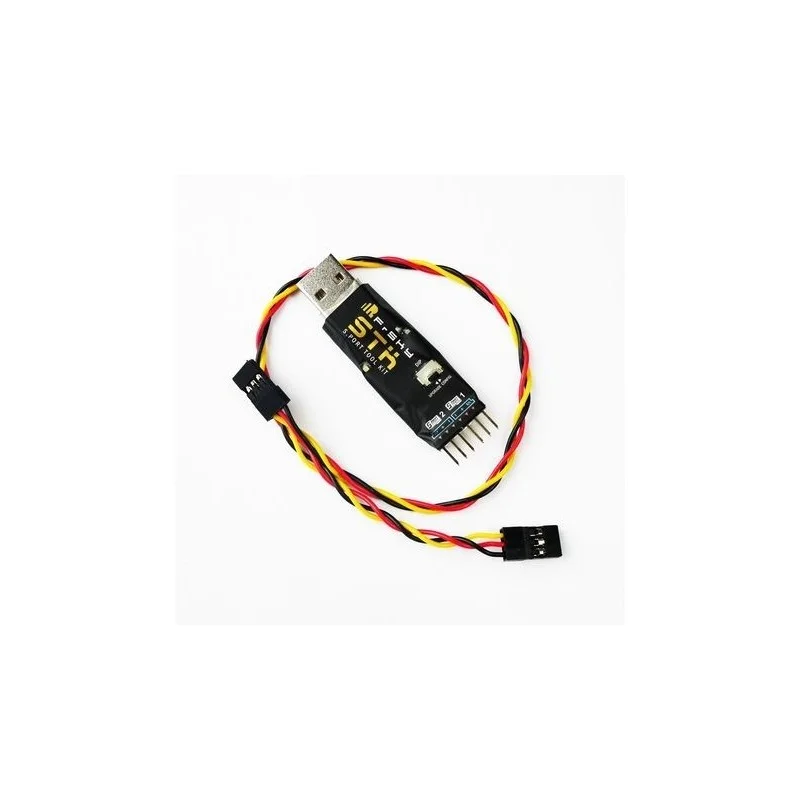
Description
S.Port 1 (upper) – Monitor, receive and set the telemetry data for S6R (with DIP switch to the upper side)
S.Port 2 (down) – Upgrade S.Port products (with DIP switch to the down side)
How to upgrade S.Port products
Driver: http:///download/view.php?sort=Tool&down=160&file=Driver-Windows XP/7/8/Vista
frsky_update_Sport.exe: http:///download/view.php?sort=Tool&down=115&file=Upgrade Lite-S.Port Telemetry
Steps: Stellen Sie den DIP-Schalter auf die untere Seite → Verbinden Sie den USB-Anschluss der STK mit dem USB-Anschluss des PCs → führen Sie „frsky_update_Sport.exe“ aus, stimmen Sie die COM-Port-Nummer mit der vom PC zugewiesenen ab. Click „File“ button and select FW version → connect the 3-wire S.Port cable to the S.Port 2 of STK and S.Port of upgraded product → After „device found, please click Download“, then click the „Download“ button to start the upgrade → Exit the process by clicking „End“ button after „Firmware is updated“.
Refer to S6R manual from FrSky website download section for how to monitor, receive, and set the telemetry data: http:///download/index.php?sort=&cate_id=0&pro_id=167
Reviews
There are no reviews yet.